works

Motion Design

A compilation of various animation works

Category • 

Animation

service • 

Design

Completed on •

October 1, 2023

Role •  

Tools •  

Adobe AfterEffects, Adobe PremierePro

Header image of the finalized mockups
Three high-fidelity mobile screens showing dashboard with 720 credit score, Coach screen with debt simulation prompt, and card comparison table with fees and APR details.
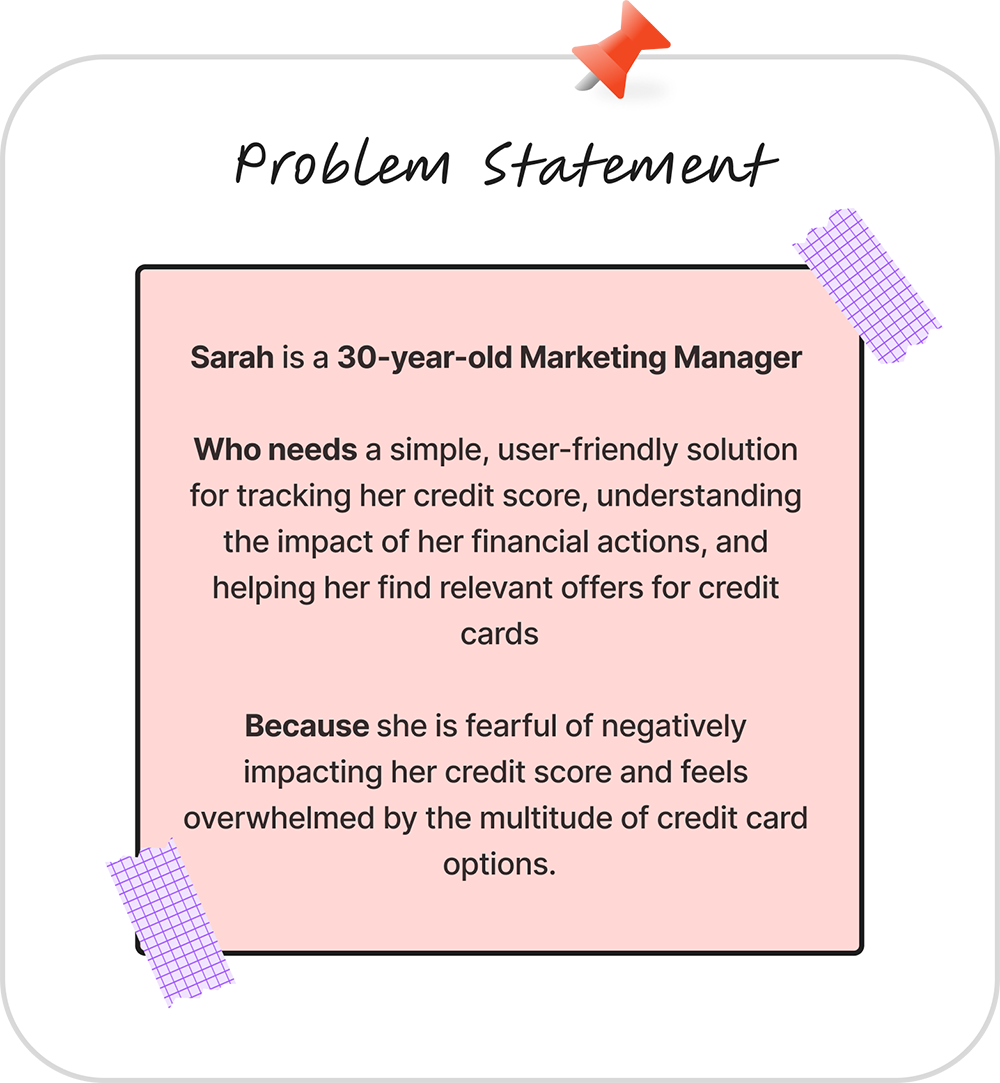
Sticky note style slide titled “Problem Statement” describing Sarah, a 30-year-old marketing manager who needs a simple, user-friendly way to track her credit score, understand financial impact, and find relevant credit card offers. It highlights her fear of negatively affecting her credit score and feeling overwhelmed by many card options.
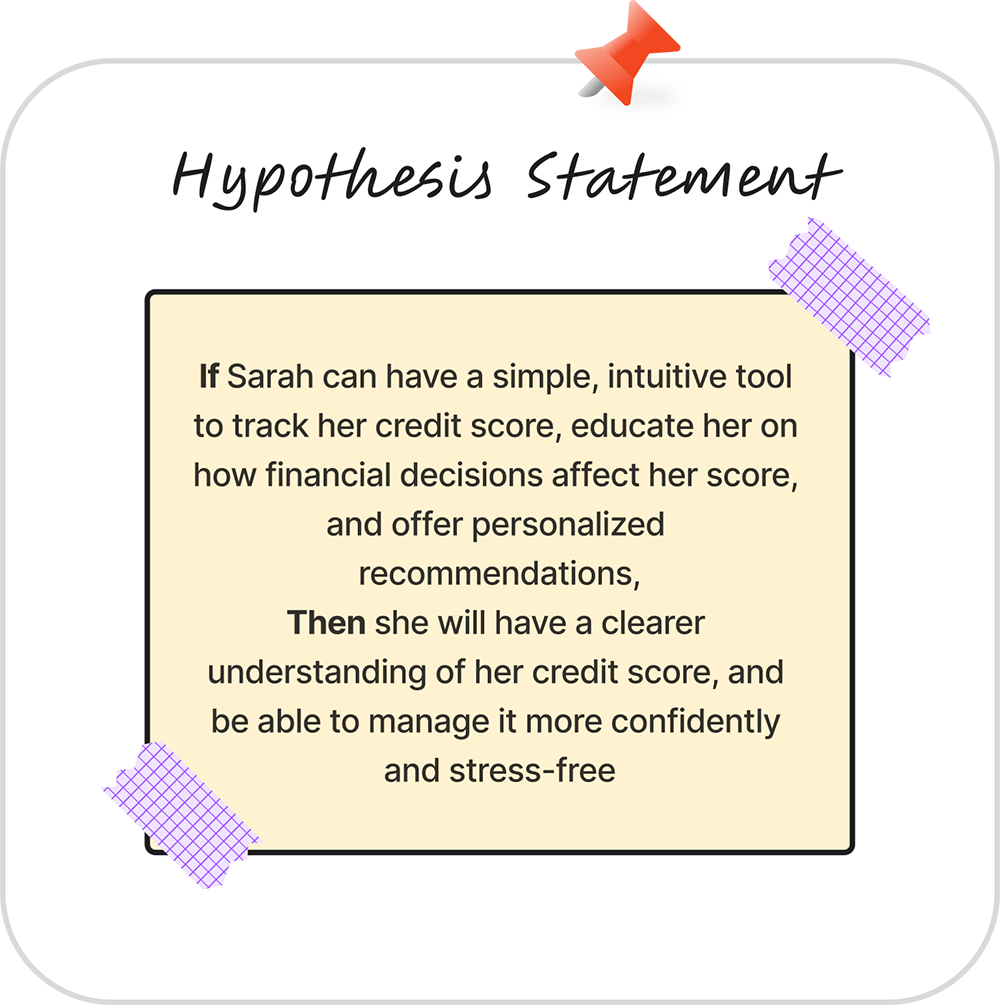
Sticky note style slide titled “Hypothesis Statement” explaining that if Sarah has an intuitive tool to track her credit score, learn how financial decisions affect it, and receive personalized recommendations, she will better understand her credit and manage it more confidently and with less stress.
No items found.
No items found.

Here is what the earliest user flow looked like on low-fidelity wireframes.

Key Insights & Design Responses

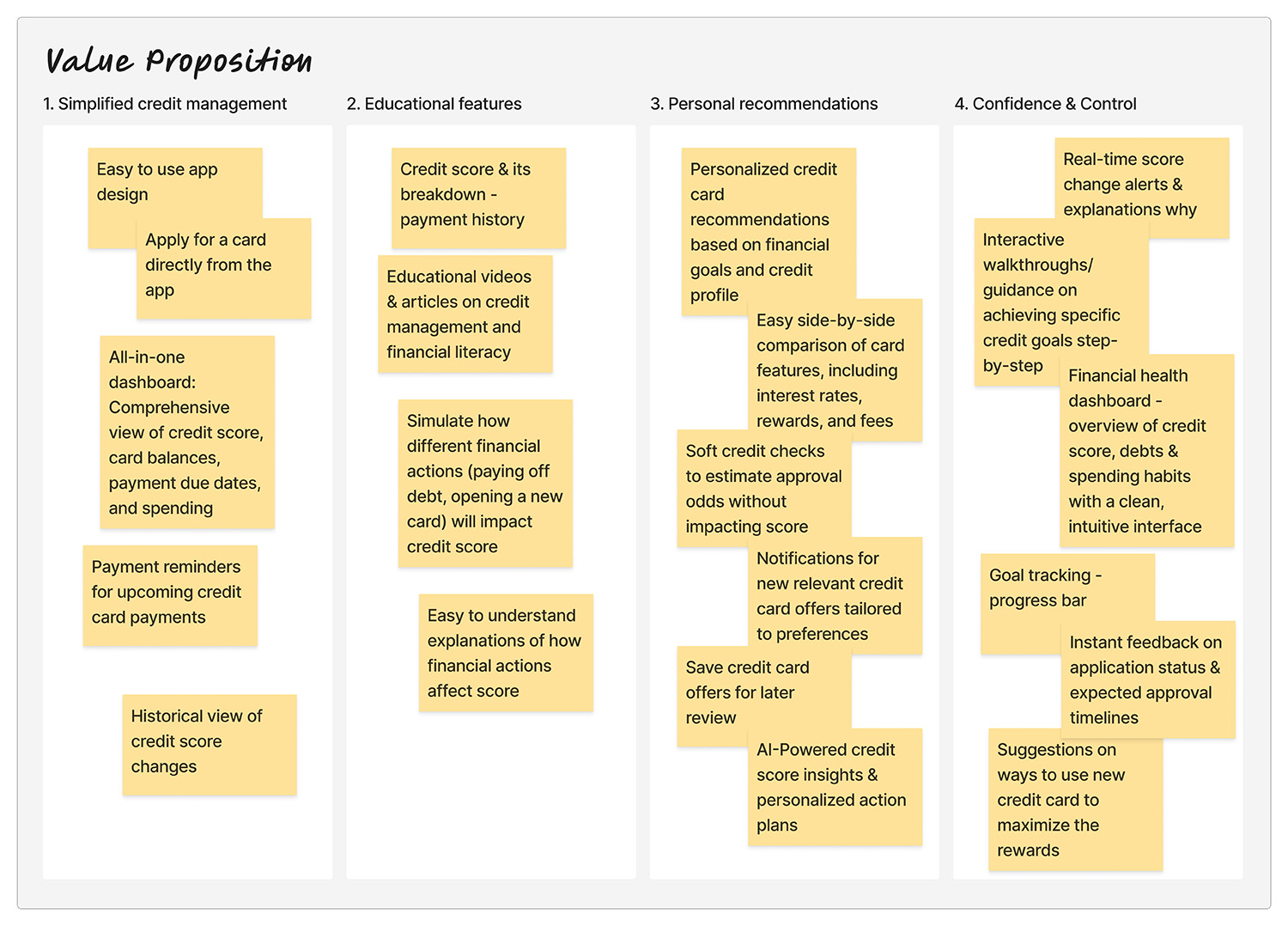
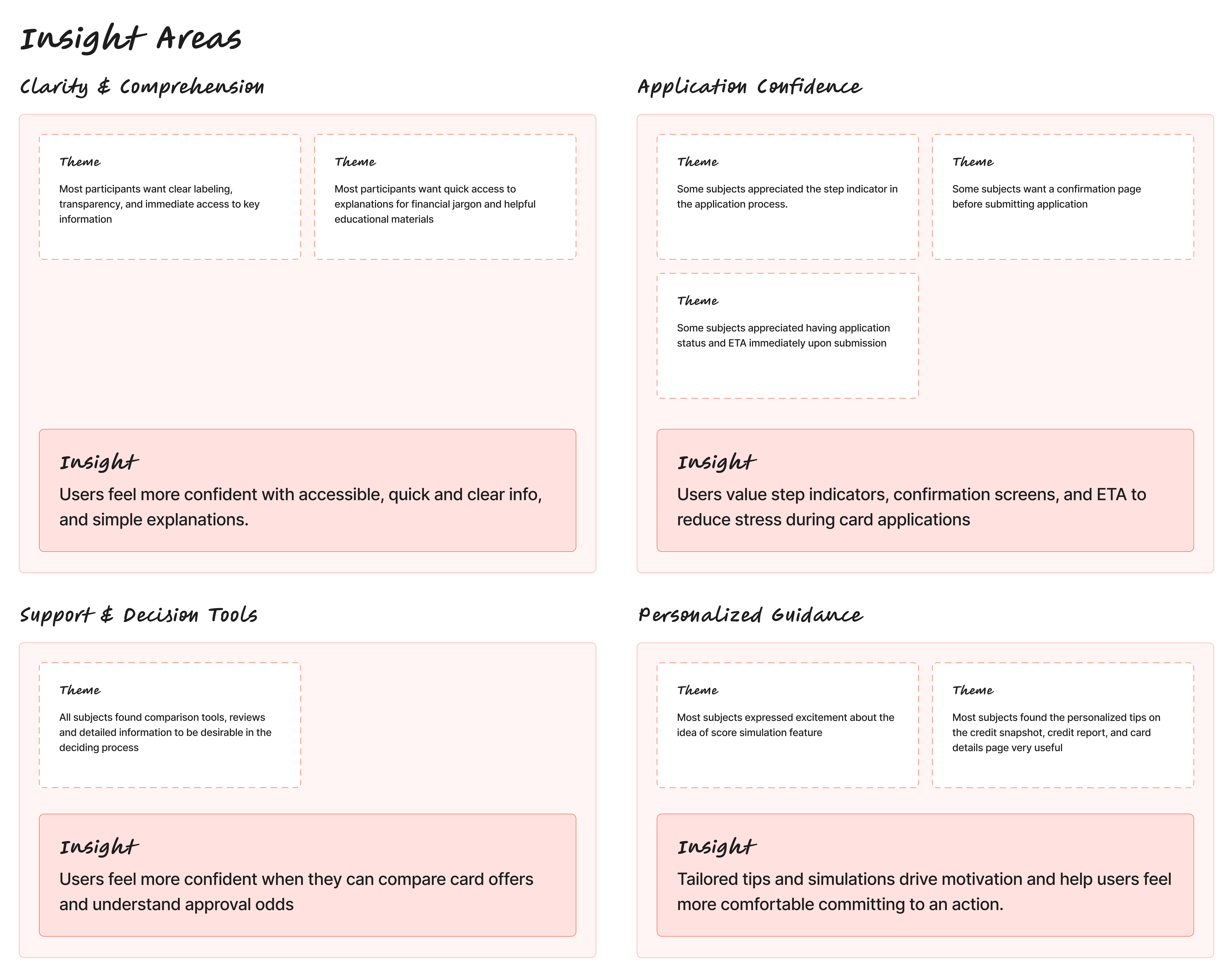
Research insights board divided into four sections: Clarity and Comprehension, Application Confidence, Support and Decision Tools, and Personalized Guidance. Each section lists themes from user research and summarizes key insights, including the need for clear labeling, step indicators, card comparisons, approval odds, and tailored simulations.

Insight: Users Feel More Confident with Accessible, Quick and Clear info, and Simple Explanations
The participant felt more comfortable with clear labeling, transparency, and immediate and easy access to information and explanations.

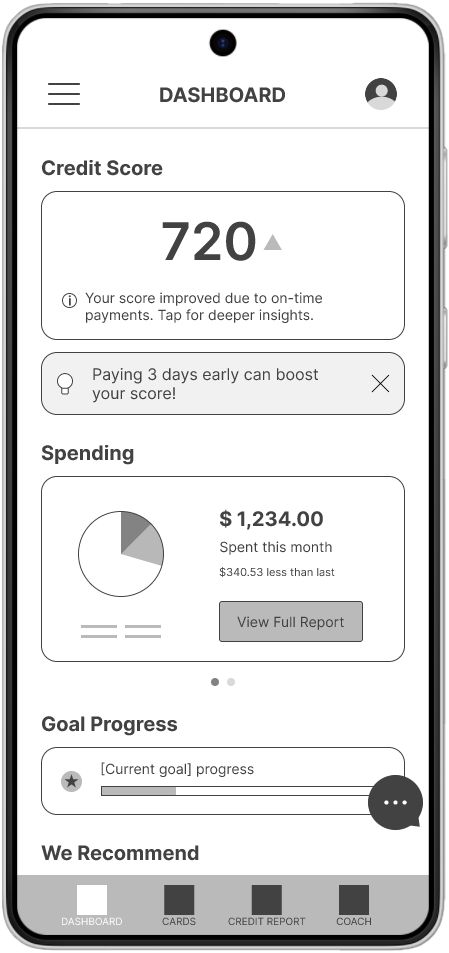
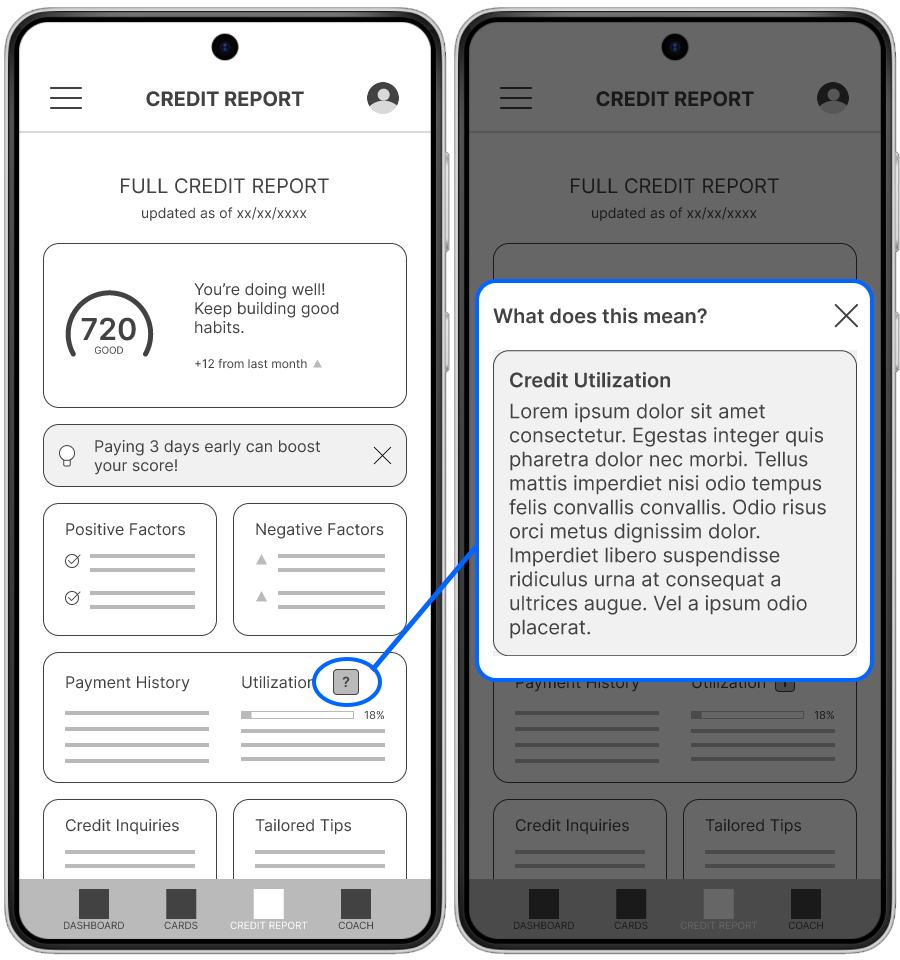
Answer: I prioritized score visibility and placed guidance messages directly on the dashboard. I also added inline explanations, tooltips, and plan language guidance throughout the app.

Mobile dashboard screen showing 720 credit score, spending summary of $1,234, goal progress bar, and navigation tabs.
Credit report screen with 720 score and tooltip explaining credit utilization after tapping information icon.

Insight: Transparency Increases Confidence During Applications
The participant appreciated the step indicators during the application flow, but felt uncomfortable with the lack of confirmation screen before submission.

Answer: Kept the step indicators, application status and ETA, and introduced a confirmation screen.
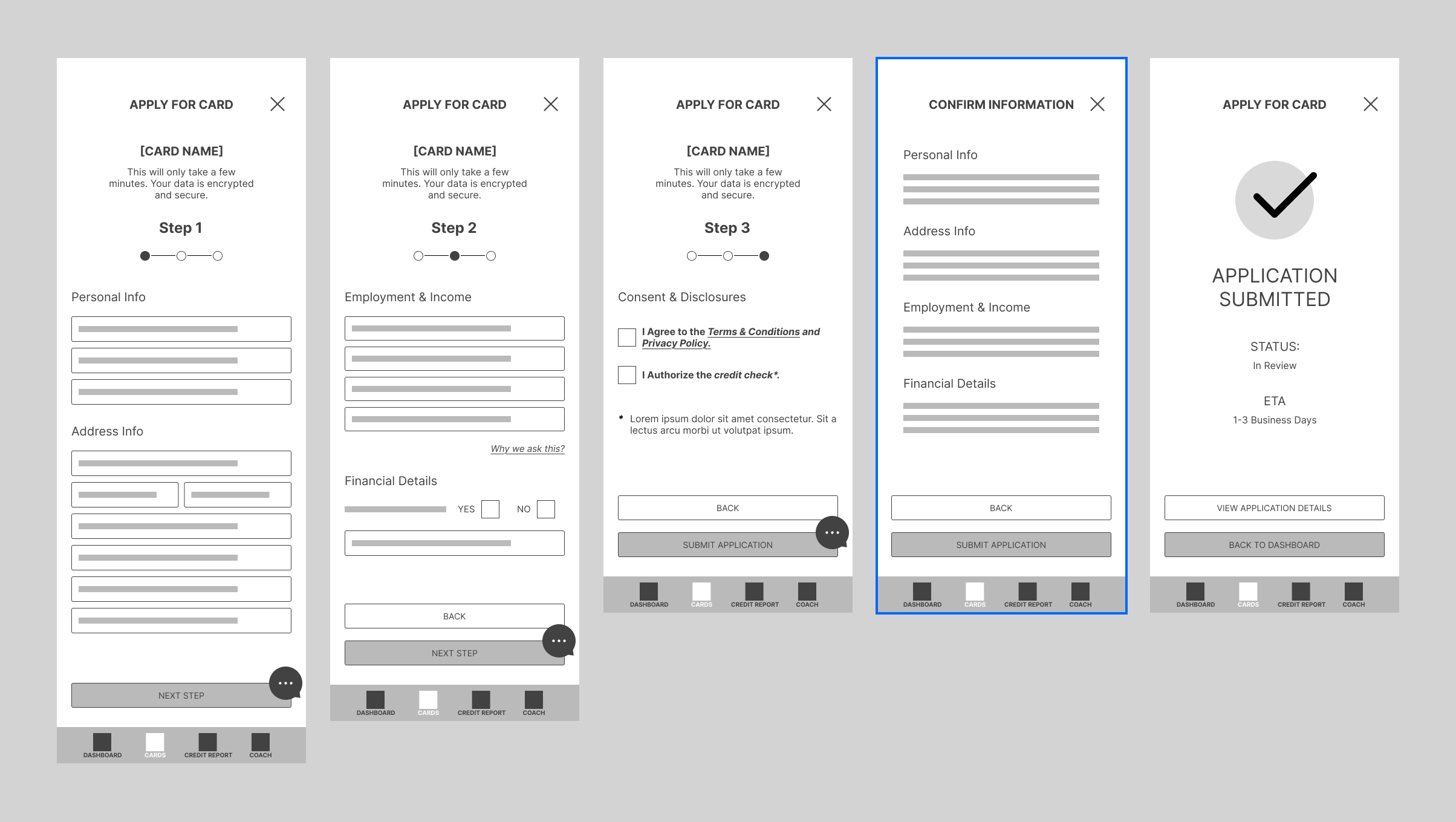
Multi-step credit card application wireframes including step indicators, review confirmation screen, and application submitted status with ETA.
Updated Application Flow

Insight: Users Need Better Tools to Help Them Make Informed Card Choices
The participant feels more confident when they can compare card offers and understand approval odds.

Answer: Added a comparison feature, card ratings, and match criteria and approval chances explanations.
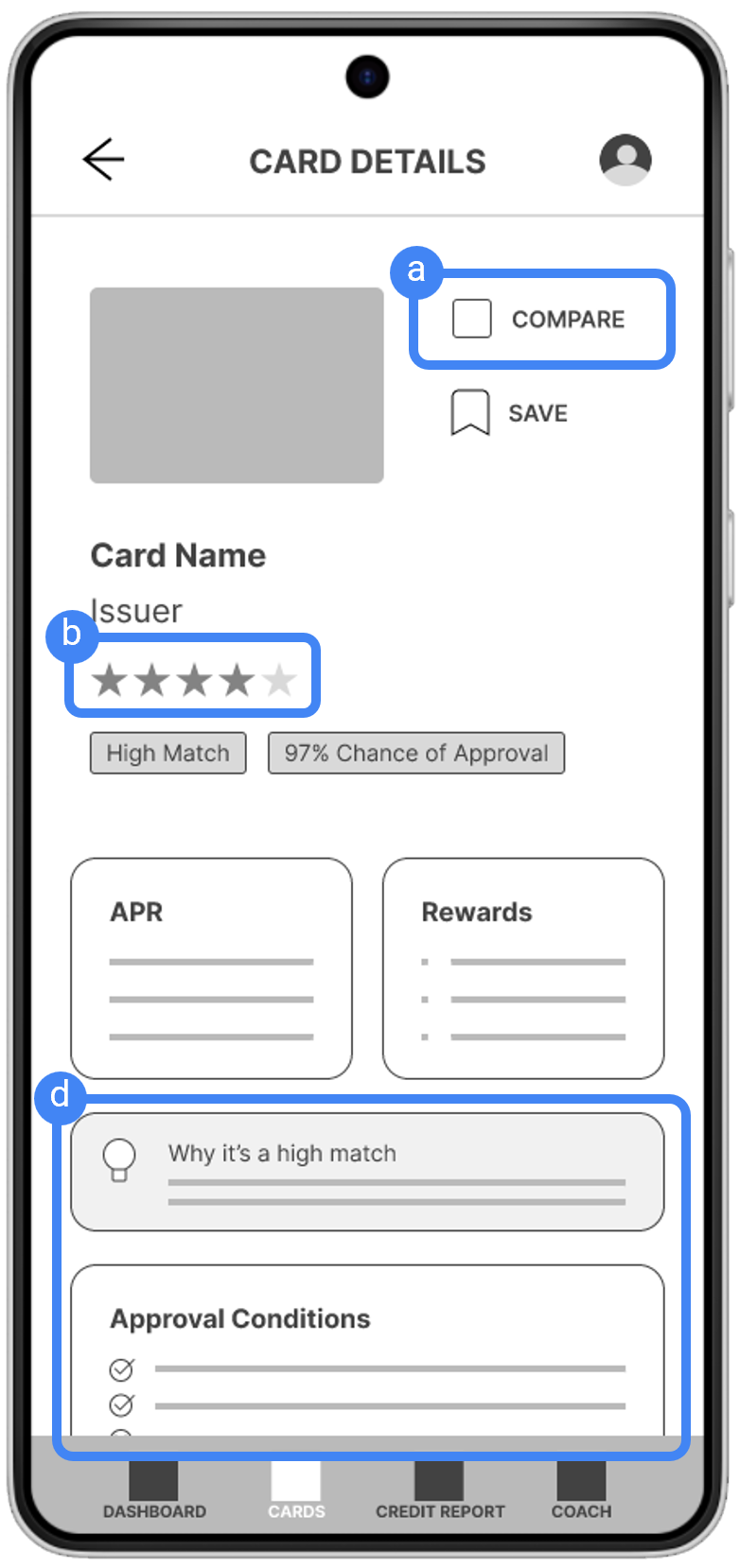
Mobile card details screen featuring a Compare button, star rating, “High Match” label, 97 percent approval chance badge, APR and rewards sections, explanation for why the card is a high match, and listed approval conditions.

Insight: Personalized Guidance Motivates Action
Tailored tips and simulations drive motivation and help users feel more comfortable committing to an action

Answer: Expanded the Coach feature to include actionable advice, reminders, and encouragement.

Two mobile credit report screens showing a 720 credit score with positive and negative factors, tailored tips, and an interactive tooltip explaining credit utilization, demonstrating personalized guidance and educational support within the app.

Low-Fidelity prototype.

No items found.

What I learned

This project suggested that emotional reassurance and clear contextual feedback could reduce anxiety. In future, broader testing would be needed to validate these patterns across a wider user group.